CHEXX App in Nigeria: PWA, Mobile Website and Telegram Mini App
CHEXX does not have a verified native iOS or Android app. For Nigerian users, the supported app-like routes are the CHEXX mobile website, its installable progressive web app (PWA), and a Telegram Mini App. CHEXX’s current official PWA page gives installation instructions for Chrome, Safari and Samsung Internet across supported mobile and desktop systems. The PWA can sit on your home screen and provide quick access without downloading an unofficial APK or searching an app store. CHEXX also accepts Nigerian players, but that operational access is separate from Nigerian state-level licensing.
The full picture is in the CHEXX Casino review for Nigeria.
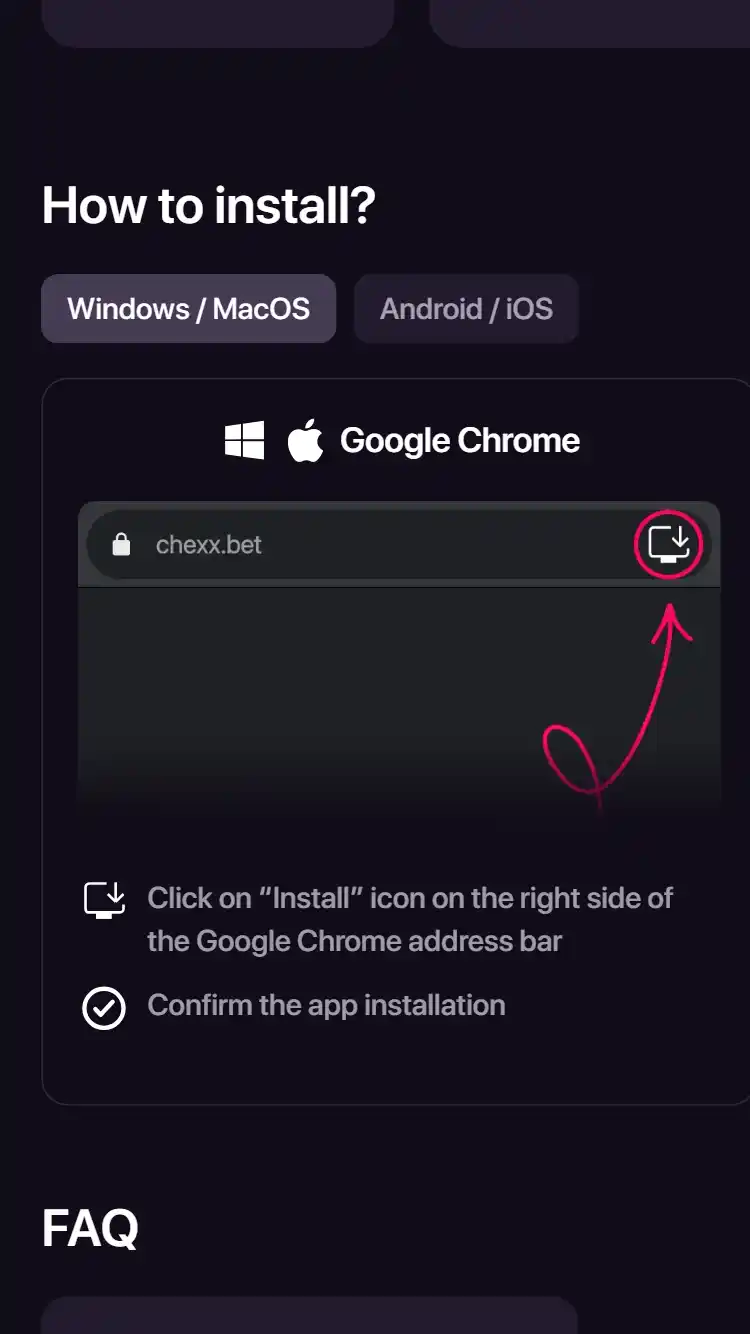
CHEXX mobile access at a glance
CHEXX’s verified mobile setup is web-first. Available catalogue data records no native iOS or Android app and identifies the PWA and Telegram Mini App as the app-like routes. The official CHEXX PWA page provides installation instructions for Chrome, Safari and Samsung Internet, including adding the service to a phone home screen.
This distinction matters when searching from Nigeria. A PWA can look and behave like an installed app after you add it to the home screen, but it is delivered through the browser rather than an App Store or Google Play listing. Avoid downloading similarly named software from an unrelated publisher simply because you expected a native CHEXX app.
How the CHEXX PWA works
A progressive web app is a website that can be installed from a compatible browser. CHEXX’s official instructions describe installation on Android and iOS as well as Windows and macOS. On Android, Chrome and Samsung Internet are listed routes; on iOS, CHEXX documents Chrome and Safari. Once added, the service can be launched from the home screen.
CHEXX highlights instant loading, home-screen access and device notifications as PWA benefits. Those are convenience features rather than a separate gambling account. Your account, wallet and platform activity remain part of the CHEXX service. If you clear browser data, change devices or alter notification permissions, the installed shortcut experience can behave differently even though the underlying account is unchanged.
Installing on Android
For Android, use the CHEXX site in a supported browser rather than searching for an APK from an unknown source. The official PWA guide says Chrome users can open CHEXX, use the browser menu and choose the home-screen installation option. Samsung Internet is also listed as supported, with its own menu route to add the service to the home screen.
The exact wording of browser buttons can change with browser versions, so focus on the official chexx.bet PWA route and your browser’s install or add-to-home-screen control. Before signing in, check the domain carefully. A home-screen icon does not by itself prove that a site is genuine; the address you installed it from is the important security check.
Installing on iPhone and iPad
CHEXX’s PWA guide lists Safari and Chrome for iOS. Safari users are directed to the Share menu and the home-screen option. CHEXX also documents a Chrome installation route on iOS. This gives iPhone users an app-like shortcut without requiring a native App Store download.
On iOS, notification and background behavior can depend on the operating-system and browser version. Treat the PWA as a convenient access layer, not as a promise that every native-app feature exists. If a notification is important for account security or betting activity, verify the relevant status inside your CHEXX profile rather than relying only on a push alert.
Mobile website versus installed PWA
The mobile website and PWA lead to the same service but offer different convenience. Browser access requires no installation and is useful on a shared or temporary device. The PWA adds a home-screen entry point and can make repeated access feel more like a conventional app. CHEXX’s own PWA page emphasizes quick launch and notifications.
For a Nigerian user managing mobile data, neither route removes the bandwidth requirements of the content being used. A text-heavy account page consumes much less data than a live casino stream. Sports live pages and dealer video can also be more sensitive to unstable connectivity. Choose the route for convenience, then judge actual performance by the product you use most.
Telegram Mini App and support channels
CHEXX provides a Telegram Mini App alongside the PWA, and CHEXX support is verified through 24/7 live chat, email at [email protected] and a Telegram support bot. These channels should not be confused with one another: a support bot is a help route, while a Mini App is an access method for the service.
Be careful with impersonation on messaging platforms. Start from CHEXX’s verified site or an official link recorded by the service rather than searching Telegram by name and trusting the first result. Never disclose a password, recovery code or wallet seed phrase to someone claiming to be support. Legitimate support may help with an account process, but a seed phrase controls your crypto wallet and should remain private.
Mobile casino and live dealer use
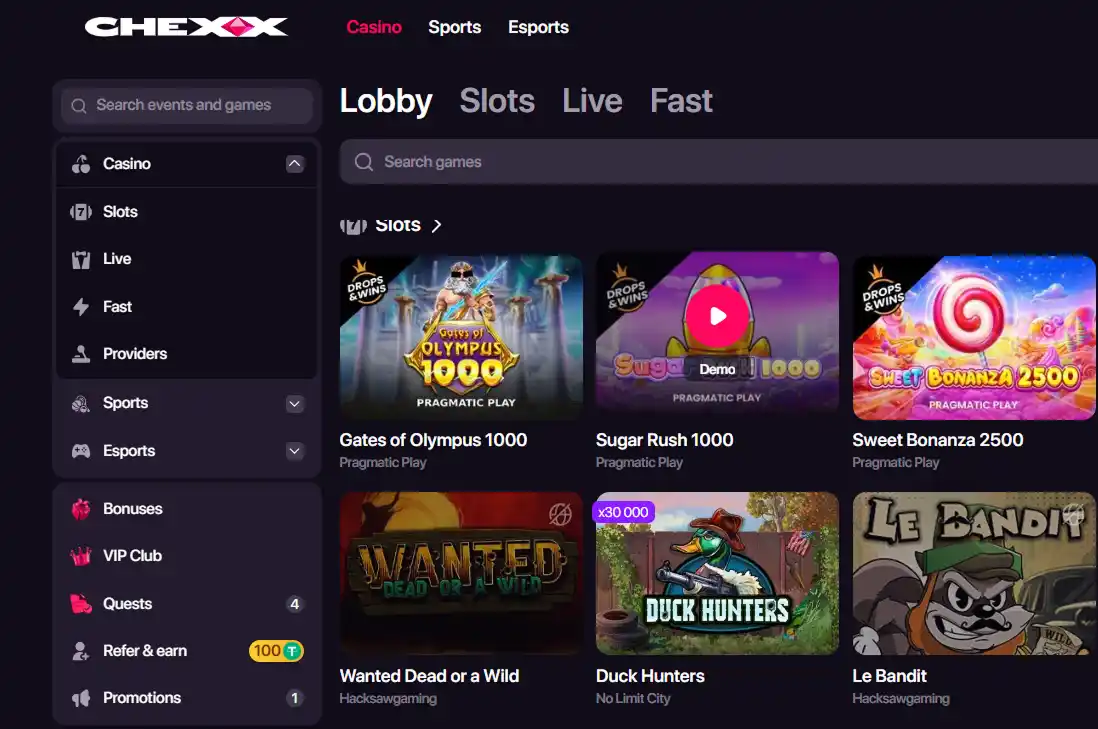
CHEXX’s casino catalogue includes slots, fast games and a verified count of 132 live-casino tables. On a phone, those formats place different demands on the connection. Ordinary game interfaces may tolerate brief latency better than live dealer streams, where video and timed betting windows are continuous.
If live casino is your priority, test a table on the same network you normally use. Make sure the video, controls and bet confirmation remain visible and responsive. For broader catalogue questions, use the CHEXX games guide; for dealer-specific considerations, the live-casino page covers streaming and table selection in more detail.
Mobile sportsbook use
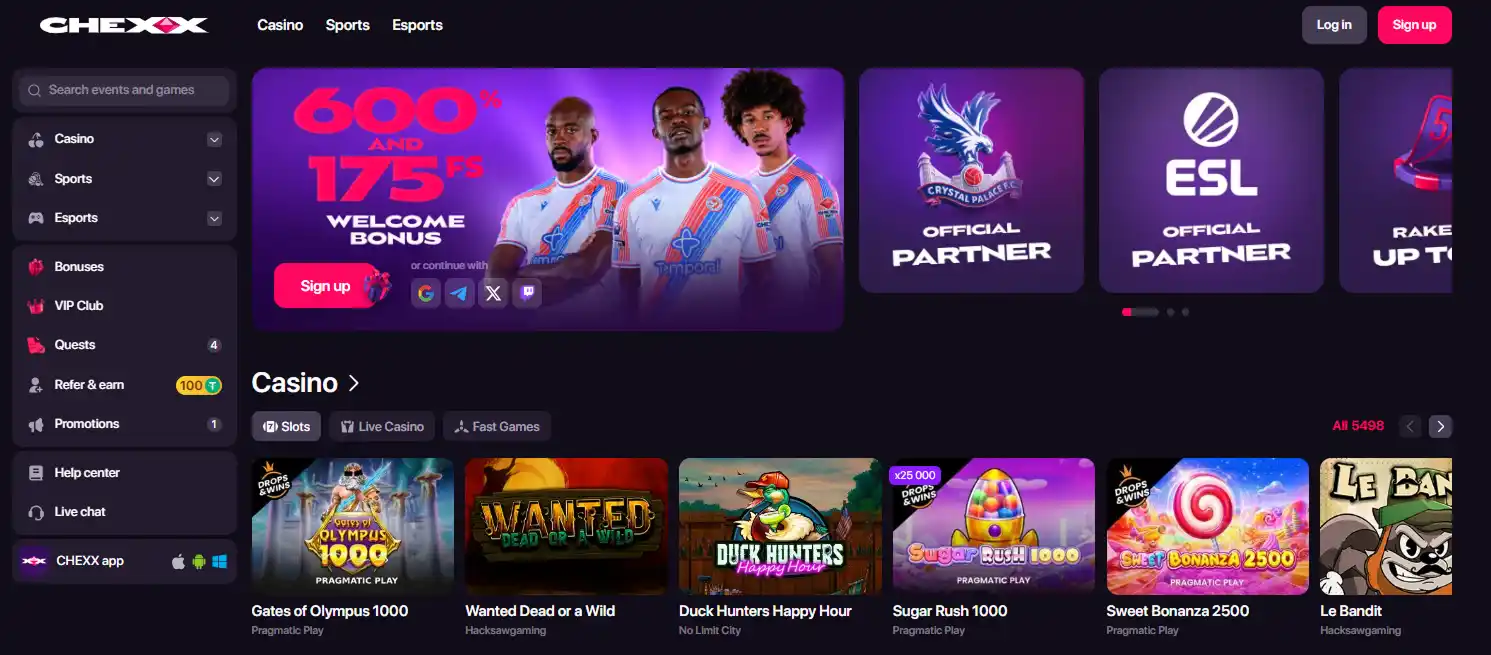
CHEXX combines casino and sports betting, so the same mobile access routes can lead to sportsbook pages. The public mobile site shows live-event navigation, and CHEXX describes its platform as covering sports betting as well as casino products. A PWA therefore serves as a general platform shortcut rather than a casino-only application.
For live sports betting, connection timing can matter because prices and markets can update quickly. Do not assume that an old screen state is still available after a network interruption. Confirm the current market and bet slip before submitting. The dedicated sportsbook guide addresses betting-market questions without mixing them into this mobile-access page.
Account and security on a phone
CHEXX’s help center describes profile controls for wallet access, transactions, bets, bonuses, verification, password changes, confirmation-code settings, notifications and self-exclusion. These functions make the mobile account more than a simple game launcher, so device security deserves the same attention as payment security.

Use a screen lock, keep the browser and operating system updated, and avoid saving credentials on a shared phone. If email codes are used to confirm sensitive actions, secure the email account as well. Crypto withdrawals can be difficult or impossible to reverse after being sent to the wrong address or network, so a convenient mobile interface should never replace checking transaction details carefully.
Nigeria-specific practical considerations
CHEXX accepts Nigerian players. That does not turn the PWA into a locally licensed Nigerian app, and it does not imply that an app-store listing exists. The safest description is operational: Nigerian users can access CHEXX through its verified web-based routes, while licensing is addressed separately on the legal page.
CHEXX is crypto-focused, so mobile convenience also depends on how comfortably you can manage wallet addresses, networks and confirmation steps on a small screen. Copy-and-paste reduces typing errors but does not remove the need to verify the destination and network. When moving funds, compare the first and last characters of an address and review the selected network before confirmation.
Mobile Access Questions That Matter in Practice
Is there a native CHEXX Android app? No native Android app was verified. CHEXX instead publishes an official PWA installation route and the verified information records a Telegram Mini App.
Is there a native CHEXX iPhone app? No native iOS app was verified. CHEXX’s official PWA page explains how to add the service to the home screen from supported iOS browsers.
Which browsers does the PWA support? CHEXX’s current official PWA page lists Google Chrome on Android, iOS, Windows and macOS; Safari on iOS and macOS; and Samsung Internet on Android.
Does the PWA create a second account? No. It is an installable access route to the CHEXX service, not a separate account system.
Can I play live casino through mobile access? CHEXX’s mobile service covers casino content, and the verified catalogue includes a substantial live-casino category. Stream quality still depends on your connection and device.
Where can I get help? The verified information confirms 24/7 live chat, support email and a Telegram support bot. Start from official CHEXX pages when locating support links to reduce impersonation risk.
Choosing the Best Way to Use CHEXX on Mobile
For Nigerian users, the key fact is simple: CHEXX is not being presented here as a native App Store or Google Play casino app. The verified setup uses the mobile website, an official PWA and a Telegram Mini App. The PWA can be added to the home screen through supported browsers and provides an app-like shortcut without requiring an unknown APK or third-party store listing.
Choose ordinary browser access if you want minimal installation, or the PWA if repeated home-screen access and supported notifications are useful. Whichever route you choose, verify the chexx.bet domain, secure the phone and email account, and check wallet details carefully when handling crypto. For the next stage of the user journey, the registration and KYC guide explains account setup, while the games and sportsbook pages cover the products reached through these mobile routes.
Explore CHEXX Beyond Mobile Access
CHEXX Nigeria review CHEXX games guide CHEXX registration and KYC guide CHEXX sportsbook guide
Related CHEXX guides
Use the related pages below to separate this topic from the other parts of the CHEXX decision.
For the broader product assessment, return to the CHEXX Nigeria review.
For the wider casino catalogue and providers, see CHEXX games.
For signup routes and verification context, see CHEXX registration and KYC.
For sports and esports betting as a separate product decision, see CHEXX sportsbook.
An account is needed before installing: how to register.
 Lollipop Drop MultiMaxBulletproof Games
 Love Gems Hold and Win1spin4win
 Sweet RewardBF Games
 Gates of OlympusPragmatic Play
 Sugar RushPragmatic Play
 Hot Hot FruitHabanero
 Mystic Fortune DeluxeHabanero
 Money Train 3Relax Gaming
 ReactoonzPlay'n GO
 9 Arrows of OdysseusSpinOn
 Strength of HerculesHacksaw Gaming
 The Book of AmaterasuMascot Gaming
 Fuzzy WuzzyPoggiPlay
 40 Super HotEGT Digital
 Ultimate Blackjack with RachaelLive-style
 Multihand BlackjackMultihand
 American BlackjackClassic
 Blackjack 21 ClassicClassic
 European BlackjackMultihand
 Premier Blackjack with Side BetsSide Bet
 VIP American BlackjackVIP
 Classic BlackjackClassic
 Vegas Downtown Blackjack GoldGold Series
 Single Deck Blackjack GoldSingle Deck
 Blackjack Surrender OriginsSurrender
 Vegas Strip BlackjackClassic
 Quantum Blackjack PlusMultiplier
 Atlantic City BlackjackClassic
 Perfect Pairs BlackjackSide Bet
 European RouletteClassic
 Who Wants to Be a Millionaire RouletteThemed
 Double Ball American RouletteDouble Ball
 Mega Fire Blaze RouletteMultiplier
 Auto RouletteSwitch Studios
 Lucky RouletteClassic
 American RouletteClassic
 French RouletteNetEnt
 Mini Roulette 3DMini
 Gold RouletteGold Series
 Roca Riches RouletteThemed
 Multifire RouletteMultiplier
 Monopoly Roulette TycoonThemed
 Immortal Romance RouletteThemed
 Dragon RouletteThemed
Published by the Chexx Casino team.